



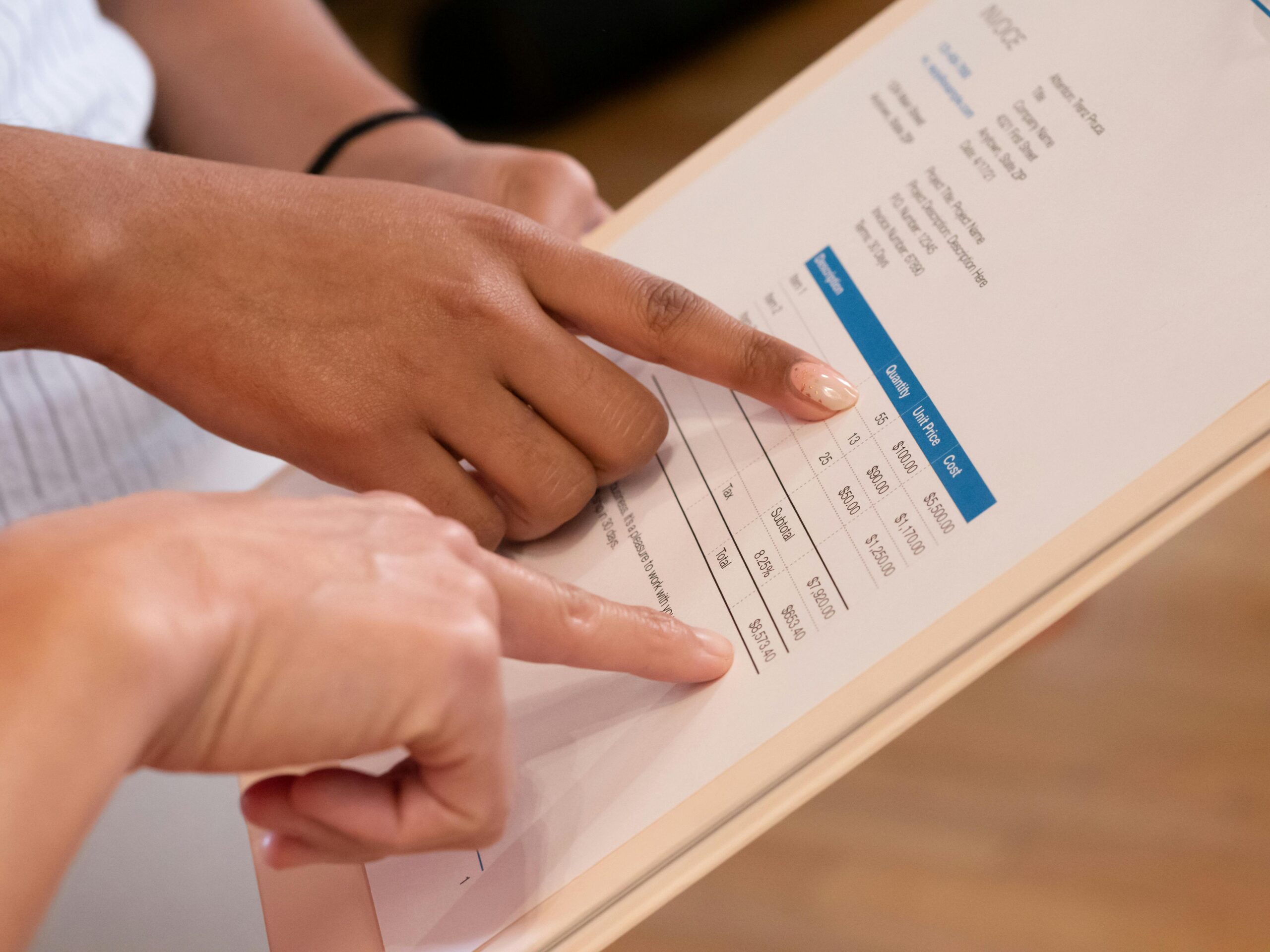
Getting paid shouldn’t be the hardest part of your job. Whether you’re a contractor finishing a big project or a boutique owner shipping a custom order, a professional invoice is the bridge between a job well done and money in the bank. This guide breaks down exactly how to build an invoice that looks professional, meets legal requirements, and, most importantly, gets paid on time.
What is an Invoice?
At its core, an invoice is a commercial document issued by a seller to a buyer. It outlines the products or services provided, the quantities, and the agreed-upon prices. It serves as a formal request for payment and creates a paper trail for both your accounting and your client’s records.
The Difference Between Invoices, Estimates, and Receipts
It’s easy to mix these up, but they serve very different purposes in the sales cycle:
- Estimates: Sent before the work begins. It’s a quote or proposal of what the costs might be.
- Invoices: Sent after the work (or a milestone) is completed. It is a demand for payment.
- Receipts: Sent after the payment is received. It acts as proof that the transaction is finalized.
6 Elements Every Business Invoice Should Include
Professional Heading & Branding
Your invoice is an extension of your brand. Include your company logo and use a clean, readable font. A professional-looking document builds trust and signals to the client that you are an established business.
Unique Invoice Numbering Systems
Every invoice needs a unique identifier. This helps you track payments and stay organized during tax season. You can use a simple chronological system (Invoice #001, #002) or a date-based system (2024-001) to keep things clear.
Business & Client Contact Information
Include the legal name, address, phone number, and email for both your business and the client. Double-check that you are billing the correct legal entity, as some clients may have a “Doing Business As” (DBA) name that differs from their project name.
Itemized List of Goods or Services
Don’t be vague. Instead of writing “Consulting,” write “SEO Audit – 5 hours.” List each service or product on a separate line with a brief description, the unit price, and the quantity. Clarity here prevents “invoice shock” and reduces back-and-forth questions.
Clear Payment Terms
State exactly when and how you expect to be paid. Common terms include Net 30 (due in 30 days) or Due Upon Receipt. Clearly mention your accepted payment methods, such as credit cards, ACH, or wire transfers.
Total Amount Due & Applicable Taxes
The bottom line should be the easiest thing to find. Bold the total amount due. If you are required to charge sales tax, list it as a separate line item before the final total so the client sees exactly what they are paying for.
Different Types of Invoices and When to Use Them
Standard and Commercial Invoices
A Standard Invoice is used for most basic transactions. A Commercial Invoice is specifically used for international trade and includes details for customs, such as the weight of the goods and country of origin.
Recurring Invoices for Retainers
If you have a client on a monthly contract or retainer, recurring invoices are your best friend. These are sent at set intervals (e.g., the 1st of every month), ensuring a predictable cash flow without manual effort every time.
Progress Billing for Large Projects
For long-term projects like construction or web development, you shouldn’t wait months to get paid. Progress billing allows you to invoice for “milestones” such as 25% at kickoff, 50% at the halfway point, and the remainder upon completion.
How to Create an Invoice (3 Simple Methods)
1. Method 1: Using a Free Invoice Template (Word/Excel)
This is the “old school” way. You download a template, manually type in your data, and save it as a PDF. While free, it is prone to manual errors and is the most time-consuming method as you grow.
2. Method 2: Online Invoice Generators
Many websites offer free tools where you plug in your info and they generate a PDF for you. This is a step up from Word templates, but these tools usually don’t save client data or track if an invoice has been opened.
3. Method 3: Integrated Invoicing Software & Virtual Terminals
For the most professional experience, use a system that integrates with your payment processor. Tools like Virtual Terminals allow you to create an invoice and send a secure “Click to Pay” link. This automatically syncs with your accounting and lets clients pay instantly with a credit card.
Invoicing Best Practices to Get Paid Faster
Automate Your Payment Reminders
Don’t spend your Friday afternoons chasing “ghost” clients. Set up automated reminders to go out three days before a due date and again on the day an invoice becomes overdue.
Offer Multiple Payment Options (Credit, Debit, and ACH)
The easier you make it to pay, the faster you get your money. By accepting credit cards and ACH directly through the invoice, you remove the friction of the client having to mail a check or log into a separate bank portal.
Send Invoices Immediately Upon Project Completion
The “recency effect” is real. Clients are most likely to pay quickly when the value of your work is still fresh in their minds. Don’t wait until the end of the month to send your bill. Send it the moment the job is done.